
<!doctype html>
Business Tools Review
Pricing, team limits, automation, integrations, free trial, refund rules, and practical buying advice for U.S. businesses.
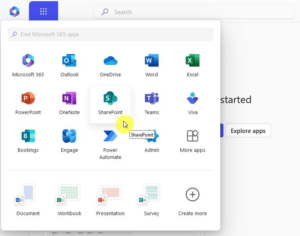
Microsoft 365 Business remains one of the broadest software subscriptions for small and midsize companies. Instead of buying an office suite, email host, cloud drive, meeting app, and basic workflow tools separately, a company can place most daily work inside one Microsoft tenant. Word, Excel, PowerPoint, Outlook, OneDrive, SharePoint, Teams, Planner, Forms, Bookings, and Loop can work together under one administrator account.
This review focuses on the Business family rather than the consumer Personal and Family plans. Microsoft’s Business Basic, Business Standard, and Business Premium plans are designed for organizations with up to 300 users. The prices below are U.S. list prices shown on Microsoft’s business pricing pages and can change with packaging, region, tax, Teams availability, or promotional terms. Always confirm the checkout screen before publishing a price claim.
Quick Verdict
Best overall
Business Standard
The most balanced choice for a small company that needs desktop Office apps, business email, 1 TB OneDrive storage, Teams, and collaboration tools.
Best budget plan
Business Basic
Choose it when browser and mobile versions of Word, Excel, and PowerPoint are enough and the company wants professional email and cloud storage.
Best for security
Business Premium
The upgrade makes sense when device management, identity protection, Defender, and data protection are more important than the lowest monthly bill.
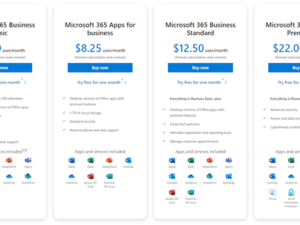
Microsoft 365 Business Pricing Cards
Business Basic
$7.00
per user/month, paid yearly
Web and mobile Office apps, custom business email, Teams, 1 TB OneDrive, SharePoint, Planner, Forms, and Bookings. Microsoft’s current page also lists a no-Teams variant at a lower price in some markets.
Business Standard
$14.00
per user/month, paid yearly
Everything in Basic plus desktop versions of Word, Excel, PowerPoint, and Outlook. This is the plan most growing offices should compare first.
Business Premium
$22.00
per user/month, paid yearly
Standard’s productivity suite plus advanced identity, device management, Microsoft Defender, and information protection features.
Annual commitment normally produces the lowest advertised per-user price. Monthly commitment costs more but gives a small business more flexibility. Microsoft also sells Copilot bundles and add-ons, so a plan that includes AI may display a substantially higher price than the base subscription. Prices are per licensed user, not per company, and the Business family has a combined 300-seat limit.
Free Plan, Free Trial, and What You Actually Get
There is no permanently free Microsoft 365 Business plan that includes a custom company domain, business mailbox, desktop Office licensing, and the full admin center. Microsoft does offer free web versions of some Office apps with a personal Microsoft account, but that is not a substitute for a managed Business tenant.
Eligible Business plans normally include a one-month free trial. A payment method may be requested, and recurring billing must be turned off before the trial ends if you do not want the subscription to convert to a paid plan. Trial eligibility and duration can vary by product and customer account, so read the trial terms shown beside the plan.
Team Numbers, Seats, and Device Rules
The Microsoft 365 Business family is built for 1–300 users. Each employee normally receives an individual license, which keeps files, mail, calendars, and security policies tied to the correct identity. You can mix Business Basic, Standard, and Premium licenses within the 300-seat tenant limit, but Premium security controls only protect the users and devices covered by the appropriate licenses.
| Question | Practical answer |
|---|---|
| Maximum business seats | Up to 300 provisioned users across the Business family. |
| Desktop Office activation | Standard and Premium users can install Office on up to 5 PCs or Macs, 5 tablets, and 5 phones per user, subject to Microsoft’s current licensing rules. |
| Cloud storage | Typically 1 TB of OneDrive storage per user on the core Business plans. |
| Large organizations | Companies over 300 users should compare Microsoft 365 enterprise plans. |

Automation Features
Microsoft 365 is not a single automation product, but it offers several useful layers. Power Automate can trigger workflows from Outlook, SharePoint, Forms, Teams, Excel, and hundreds of external connectors. A form submission can create an approval request, save an attachment in SharePoint, notify a Teams channel, and add a row to an Excel table.
Planner and To Do help convert messages and project actions into trackable work. SharePoint lists support rules and approvals, while Power Apps can turn a spreadsheet-like process into a simple internal app. More advanced connectors, premium data sources, robotic process automation, and higher run volumes may require separate Power Platform licensing. This is where the “included automation” story becomes more nuanced: basic workflows can be economical, but complex automation should be budgeted as its own software project.
Integrations and App Ecosystem
Microsoft 365’s integration advantage is native rather than purely numerical. Teams can surface SharePoint files, Planner boards, Power BI reports, Forms, and third-party apps in one workspace. Outlook connects naturally with calendars, meetings, contacts, and approvals. Microsoft’s marketplace and Power Platform provide hundreds of connectors for CRM, accounting, help desk, marketing, storage, and project management services.
Native stack
Outlook, Teams, OneDrive, SharePoint, Planner, Forms, Loop, Bookings, and Clipchamp.
Business connectors
Salesforce, ServiceNow, Slack, DocuSign, Adobe, Dropbox, Zendesk, and many other services can be connected through approved apps or Power Automate.
Admin control
Admins can control app consent, permissions, data locations, sharing policies, and conditional access depending on the plan.
Security and Administration
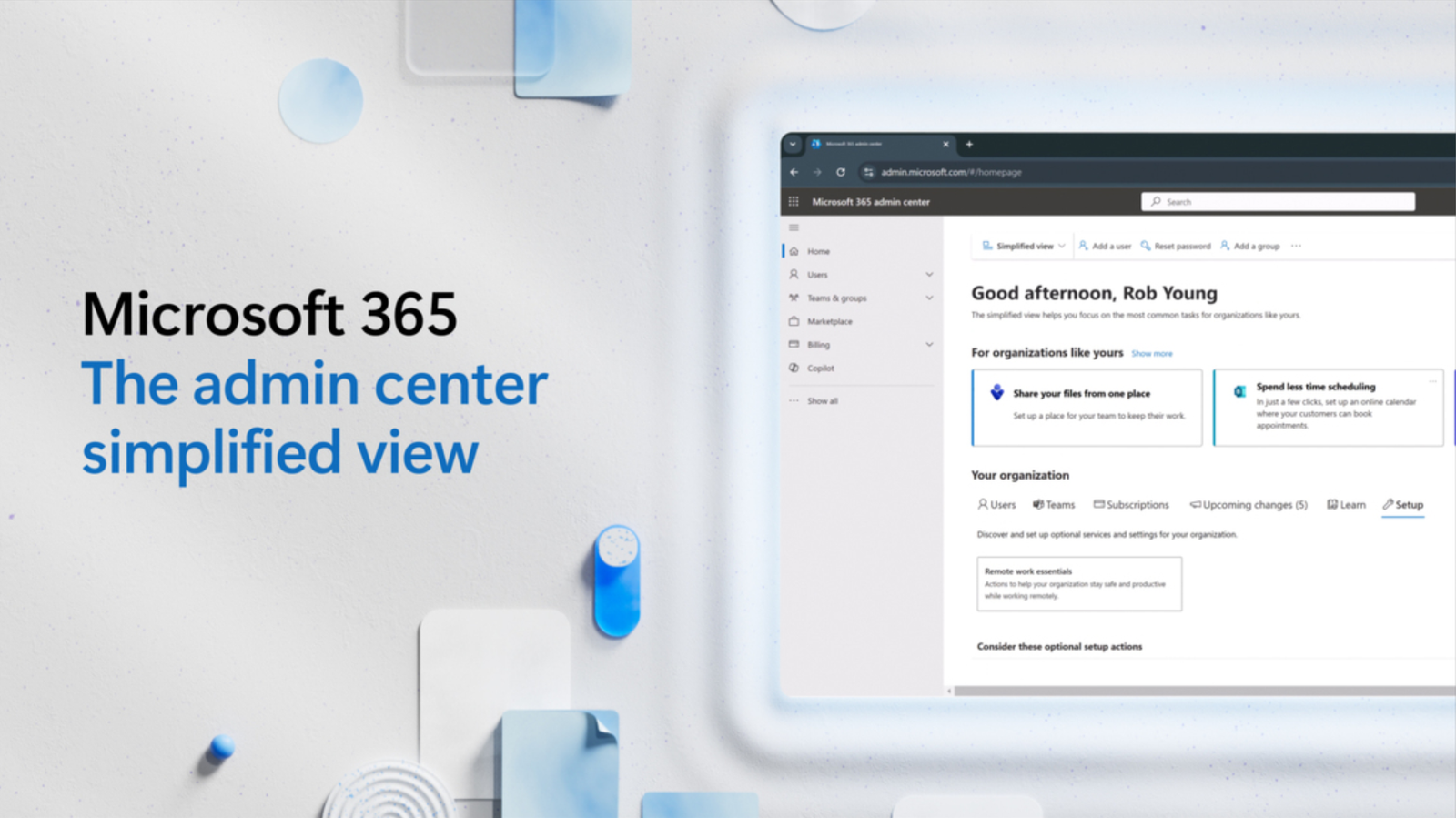
Business Basic and Standard include core identity management, spam and malware filtering, and administrator controls. Business Premium adds the strongest security value: advanced identity and access management, Intune device management, Microsoft Defender for Business, and data protection tools. For a company handling customer records, laptops outside the office, or regulated information, Premium can cost less than assembling separate endpoint and identity products.
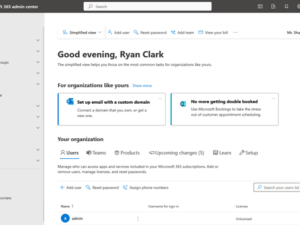
The trade-off is complexity. Microsoft Admin Center, Entra, Intune, Defender, SharePoint, and Purview each have their own settings and terminology. A small business without an IT owner may need a consultant or managed service provider for a secure rollout.
Pros
Complete everyday stack
Email, documents, spreadsheets, meetings, storage, calendars, and basic workflow tools are available from one vendor.
Excellent compatibility
Office file compatibility remains important for U.S. customers, accountants, schools, vendors, and enterprise clients.
Scales with the team
Per-user licensing, centralized administration, and shared security policies work well as a company grows.
Strong upgrade path
Businesses can move from Basic to Standard or Premium without replacing their whole productivity environment.
Cons
Pricing is complicated
Teams variants, Copilot bundles, annual commitments, taxes, and add-ons make simple price comparisons difficult.
Administration takes time
The platform is powerful, but security and sharing policies are not “set and forget” for a small business.
Some features cost extra
Advanced automation, premium connectors, Copilot, phone services, and enterprise capabilities may require additional licenses.
Vendor concentration
Putting email, files, meetings, and identity in one ecosystem is convenient but increases switching costs.
Refund Policy and Cancellation
Trial cancellation is the clearest case: Microsoft says a trial can be canceled within the trial period to avoid future charges. Paid business cancellation depends on the billing account type, purchase channel, and whether the subscription has a monthly or annual commitment. Monthly commitment plans generally avoid an early-termination penalty, while annual commitments paid monthly can have contractual consequences.
If the subscription was bought through a reseller, the reseller may control cancellation and refund handling. Microsoft’s business cancellation guidance also notes a limited pro-rated refund window for certain partner-purchased subscriptions. Do not assume that turning off recurring billing automatically creates a refund; check the admin center’s cancellation screen and the applicable agreement.
Our Recommendation
For most U.S. small businesses, Business Standard is the best starting point because it combines professional email, Teams, cloud storage, and full desktop Office applications. Choose Basic when browser apps are enough and the priority is keeping the monthly bill low. Choose Premium when device security, identity protection, remote management, or sensitive data justify the additional cost.
Before buying, compare the annual total for every employee, identify who truly needs desktop apps, test Power Automate limits, and decide whether Copilot is a separate requirement. A short pilot with real documents and a custom domain will reveal more than a feature checklist.
Official Purchase Links
Microsoft 365 Business Pricing
Business Standard
Cancellation guidance
Last reviewed for publication: October 2026. Prices, trial terms, product names, and included features can change; verify the official Microsoft page before updating this article.