
Quick Verdict
- Best for: small and mid-size US sales and marketing teams that want an all-in-one CRM with a genuinely useful free tier.
- Not ideal for: large enterprises with deeply customized workflows that need full flexibility of Salesforce-style platforms.
- Free plan: up to 2 users, unlimited contacts and companies, basic pipeline, email tracking and live chat.
Introduction
For a growing US business, customer data usually lives everywhere: emails in Gmail, notes in a spreadsheet, quotes in a PDF, calls on a phone. When a lead asks a question, no one knows who has the answer. That is the exact problem a customer relationship management (CRM) system solves — and HubSpot is the most popular entry point for small teams.
HubSpot CRM was built around the idea of inbound marketing, but today it is a full platform that combines a free smart CRM, contact management, a visual sales pipeline, marketing automation, email tools, live chat and advanced reporting. The biggest reason it dominates this space is simple: the core CRM is genuinely free, with no time limit and no credit card, which makes it the default starting point for thousands of small companies across the United States.
We tested HubSpot CRM hands-on from the perspective of a typical US B2B sales team to see whether the free tier is enough, which paid plans add real value, and where competitors like Salesforce and Pipedrive still have the edge in 2026.
Who Should Use HubSpot CRM?
HubSpot CRM is ideal for B2B companies, agencies, consultancies and service businesses that need to track leads, nurture prospects with email, and follow a visual sales pipeline. Because the free tier supports unlimited contacts and two users, even solo founders and tiny teams can get real value without spending a dollar.
It shines when marketing and sales need to work from the same customer data. A single database powers your email lists, your sales deals and your support tickets, so every team sees the same record.
It is less ideal for large enterprises with highly customized, complex sales processes, or teams that need deep financial and forecasting customization out of the box. For those, Salesforce or a specialist tool is often a better fit — at a much higher price.
Core Features Breakdown
Contact & Lead Management
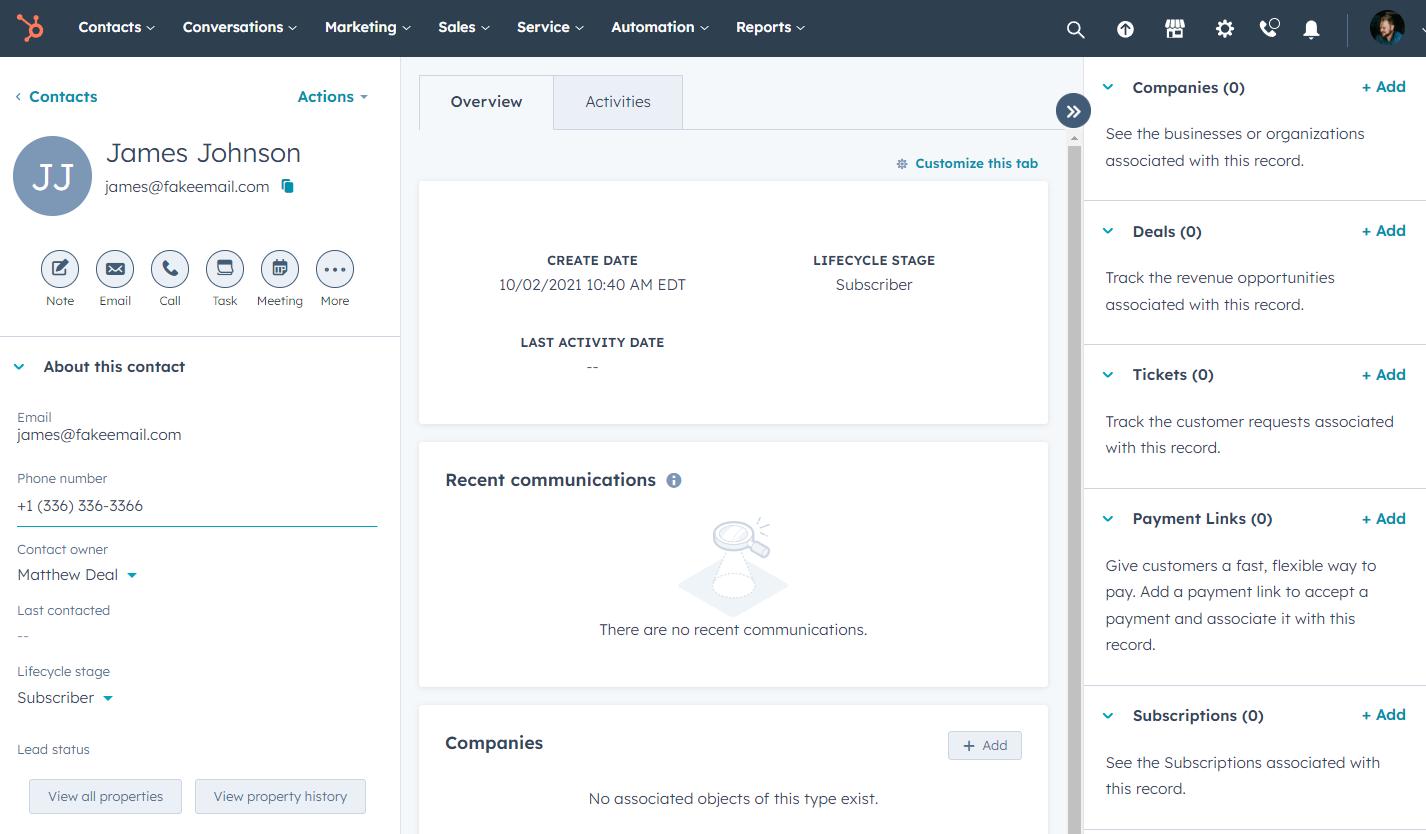
HubSpot stores unlimited contact and company records, and every email, call, meeting and note is automatically attached to the right record. The timeline view gives you the full history of a relationship in one place, and the database enriches contacts with company details automatically, saving hours of manual data entry.
Visual Sales Pipeline
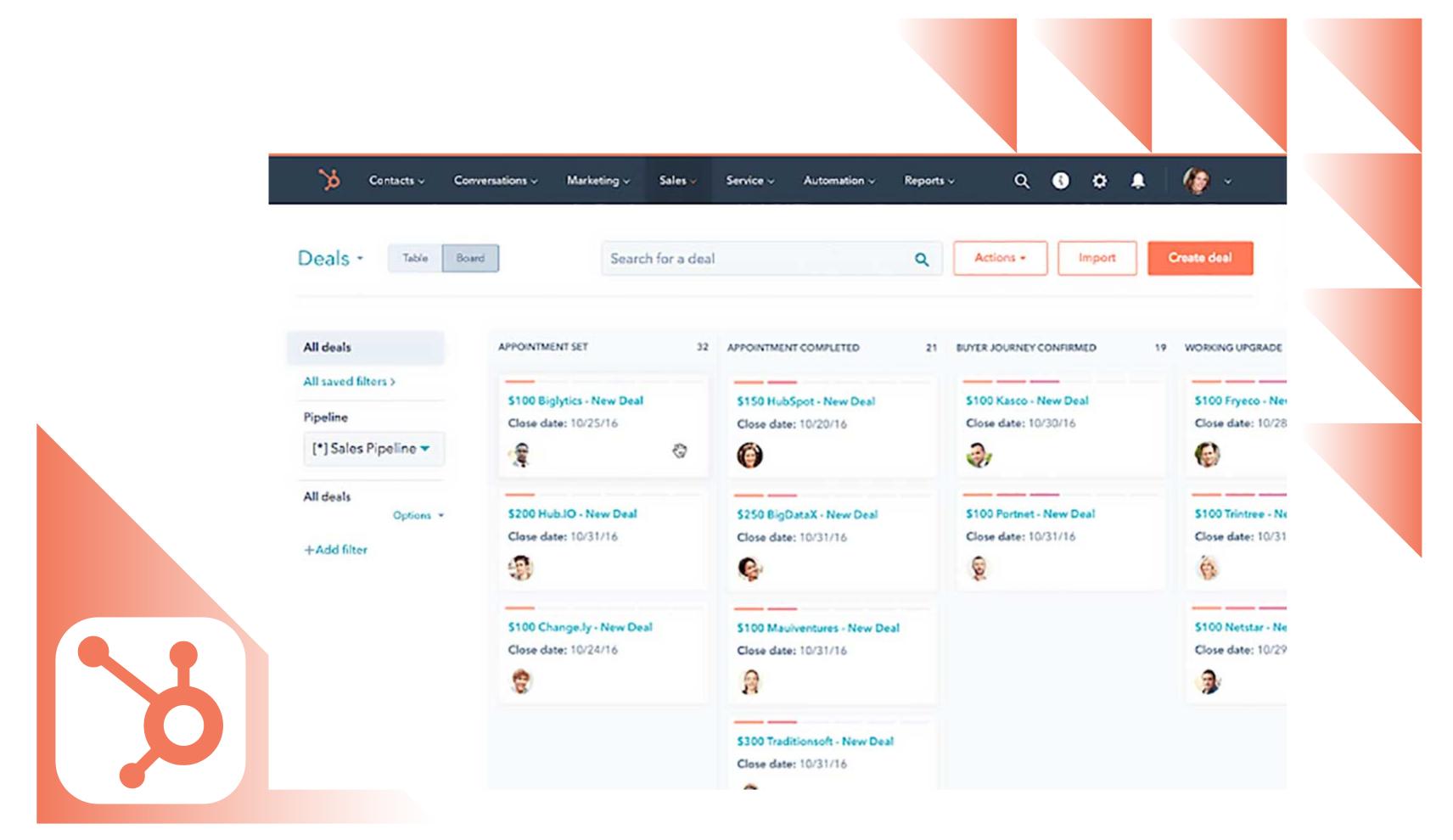
The drag-and-drop pipeline is where HubSpot feels most intuitive. You create stages like Appointment Scheduled, Qualified, Presentation, and Closed Won, then simply drag deals forward as they progress. Each deal card shows the value, close date and owner at a glance, and weighted forecasts estimate how much revenue is actually likely to close.
Marketing Automation & Email
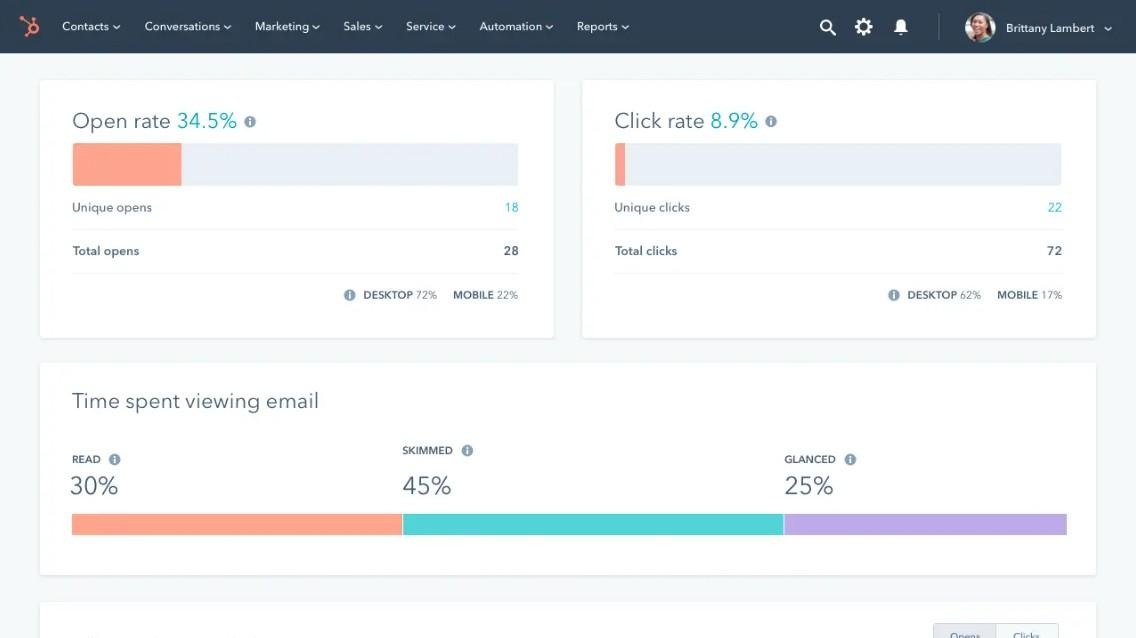
HubSpot blends CRM with marketing automation, so you can send personalized emails, build landing pages and run workflows that automatically follow up when a lead goes quiet. The email editor is drag-and-drop, and AI writes subject lines and copy that boost open rates. Email analytics track opens, clicks and device usage right inside the platform.
Reporting & Analytics
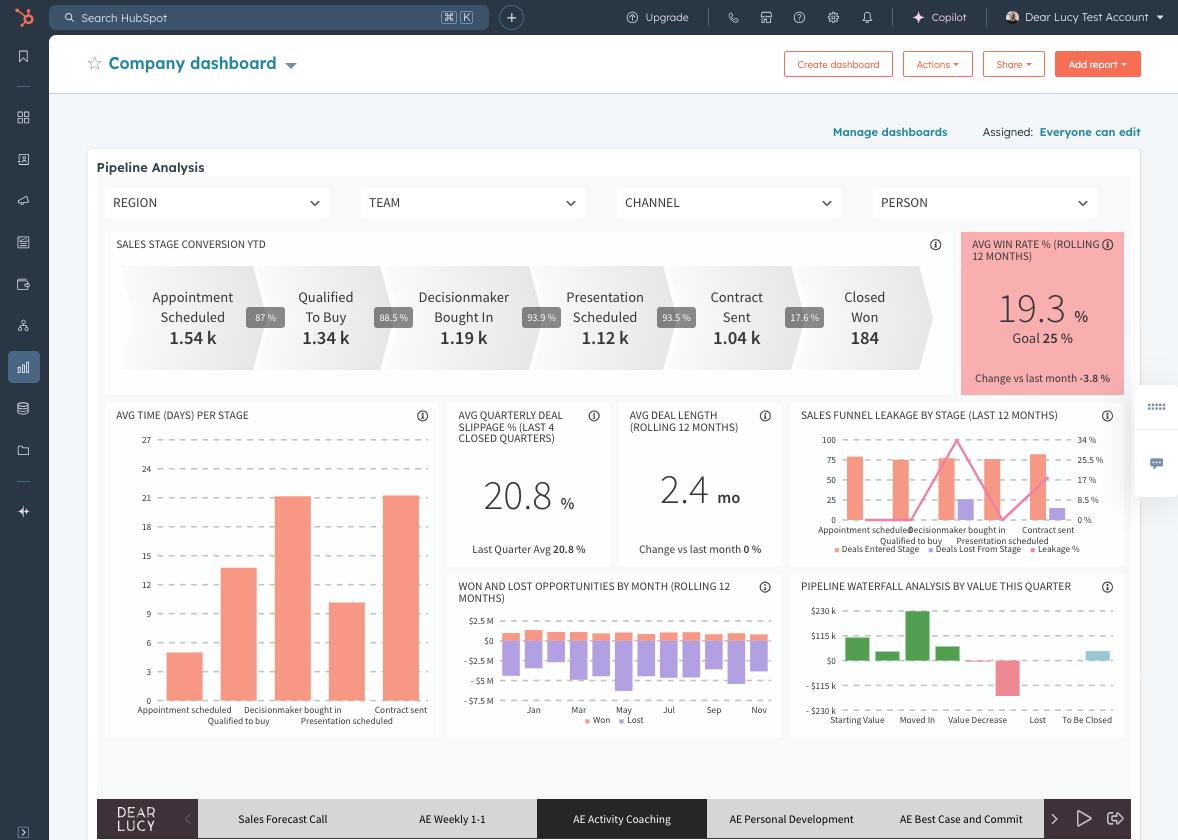
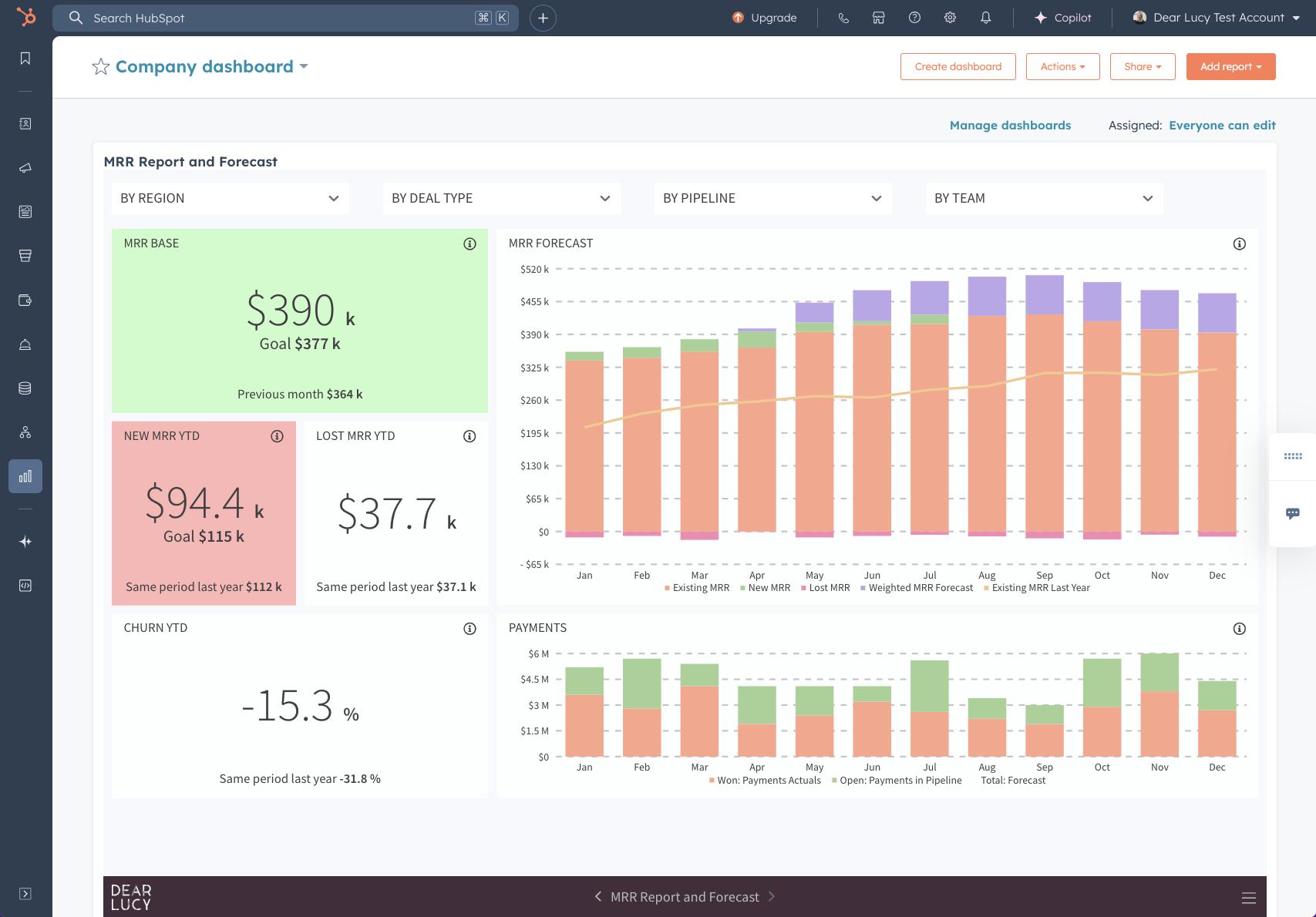
Reporting is one of HubSpot’s strongest paid features. You can build custom dashboards for sales performance, pipeline value, revenue and forecasting. Reports show win rates, average deal length, and stage-by-stage conversion, giving managers a clear picture of where deals get stuck and which reps need coaching.
Pricing (US, Approximate Annual Billing)
| Plan | Price / user / mo | Best highlights |
|---|---|---|
| Free CRM | $0 | 2 users, unlimited contacts, basic pipeline, email tracking, live chat |
| Sales Hub Starter | ~$20 | Simple automation, meeting scheduler, quoting, sequences |
| Sales Hub Professional | ~$100 | Deal & company scoring, forecasting, conversation intelligence, AI |
| Sales Hub Enterprise | ~$150 | Advanced permissions, custom reporting, playbooks, multi-currency |
Monthly billing costs more than annual. Marketing Hub and Service Hub are sold separately and can be combined for an all-in-one customer platform. Prices are approximate and based on HubSpot’s published US rates.
Pros & Cons
What we like
- One of the best free tiers of any CRM
- Unified contact data across marketing, sales and service
- Intuitive drag-and-drop pipeline, easy onboarding
- Powerful, customizable reporting dashboards
- Built-in email marketing and automation
- Over 1,000 native integrations
What could be better
- Full features get expensive across multiple hubs
- Advanced customization limited compared to Salesforce
- Reporting depth requires Professional plan or higher
- Can feel cluttered for very simple, one-person sales teams
HubSpot vs Salesforce
Salesforce remains the gold standard for large enterprises, with unmatched customization, a massive app ecosystem and the deepest sales cloud on the market. HubSpot wins on ease of use, faster setup and a free tier, making it the better choice for most small and mid-size teams.
If you are a small business that wants to be up and running in a day without hiring a Salesforce admin, HubSpot is almost always the smarter and cheaper choice. If you are a large organization with highly complex, custom sales processes, Salesforce is still the safer long-term bet.
Bottom Line
HubSpot CRM is the easiest recommendation in its category for US small businesses and sales teams. The free tier is genuinely useful, the interface is clean, and it gives marketing, sales and support one shared view of the customer.
Paid plans add real power, especially around automation and reporting. For most growing teams, HubSpot delivers more value per dollar than any competitor — just watch your costs as you add hubs and users.