
<!doctype html>
Business Tools Review
Pricing, free-plan limits, team collaboration, automations, integrations, trials, cancellation, and practical buying advice.
Slack is a communication and work-management platform built around channels, direct messages, huddles, canvases, lists, apps, and searchable team context. It is not simply a replacement for email. The real value appears when a company moves project conversations, decisions, approvals, files, and notifications into organized channels that employees can search later.
This review is written for U.S. startups, agencies, nonprofits, professional-services firms, and growing companies. Slack’s plan names and prices can change, and regional taxes or Salesforce packaging may affect the checkout total. The figures below are the U.S. prices currently displayed on Slack’s official pricing page; verify the live page before publishing or purchasing.
Quick Verdict
Best for most small teams
Pro
Pro removes the free history barrier, adds unlimited integrations and group huddles, and is usually enough for an independent team that does not need enterprise governance.
Best value for growing companies
Business+
Business+ adds stronger administration, identity controls, AI-assisted work, and more advanced collaboration for organizations that are outgrowing basic Slack.
Best for large enterprises
Enterprise+
Enterprise+ is quote-based and designed for multiple workspaces, complex security, compliance, and large-scale administration.
Slack Pricing Cards
Free
$0
free forever
Recent 90 days of message and file history, up to 10 app integrations, one-to-one huddles, one-to-one external messages, channels, search, and basic Slack features.
Pro
$8.75
per user/month, annual billing shown by Slack
Unlimited message history, unlimited app integrations, group huddles, group Slack Connect, workflow tools, and additional administration compared with Free.
Business+
$15
per user/month, annual billing
Unlimited history and integrations plus expanded identity, security, AI, workflow, and external collaboration capabilities. Slack currently promotes Business+ as its best-value paid tier.
Enterprise+
Contact sales
custom quote
Designed for large organizations that need enterprise governance, multiple workspaces, advanced compliance, and tailored support.
Slack’s annual prices are usually lower than month-to-month billing. The official page currently shows a higher monthly Business+ rate than its annual equivalent, and promotional discounts may apply only for a defined period. Do not treat an introductory offer as the normal renewal price.
Free Plan and Free Trial
Slack Free is genuinely useful for a small team, but it is not unlimited. Slack limits visibility and search to the most recent 90 days of messages and files. Data older than one year may be permanently deleted on a rolling basis. Free workspaces can install up to 10 third-party or custom apps, and huddles and external messaging are more restricted than on paid plans.
Slack offers trials of paid Pro and Business+ plans. A Workspace Owner or Admin can request a trial, and Slack says a credit card is not required to start it. If the team does not upgrade, the workspace automatically returns to Free when the trial ends. Before testing a paid plan, do not change retention settings casually: deleted messages and files may not be recoverable.
Team Size, Guests, and External Collaboration
Slack does not force a simple “one plan equals one fixed number of users” model. Plans are charged per active member or according to the applicable billing rules, and the right number depends on who actually needs access. You can organize a company into public channels, private channels, direct messages, and shared channels with outside organizations through Slack Connect.
| Need | Slack answer |
|---|---|
| Small internal team | Free or Pro can cover channels, direct messages, and searchable day-to-day communication. |
| External partners | Free supports limited one-to-one external messages; paid plans support broader Slack Connect collaboration. |
| Large organization | Business+ and Enterprise+ provide stronger identity, admin, and governance options. |
| Guest access | Guest and external access rules depend on the workspace configuration and plan; confirm the current policy before designing a client portal. |
Automation Features
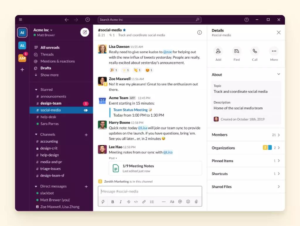
Slack automation is built into workflows, forms, lists, and app connections. Workflow Builder can collect information, post recurring messages, route requests, and trigger simple approvals without custom code. Slack Lists can turn conversations into tasks, while canvases provide a place for briefs, checklists, and project notes.
For more advanced automation, Slack connects with Zapier, Power Automate, Workato, Salesforce Flow, Jira, Asana, Google Drive, GitHub, and hundreds of other services. A support request can create a ticket, notify an on-call channel, assign an owner, and post a status update. Some advanced workflow steps, AI features, or premium connectors may depend on the plan or a separate vendor subscription.
Simple workflows
Forms, approvals, reminders, recurring messages, and channel notifications.
Cross-app workflows
Connect Slack with CRM, help desk, calendars, project management, storage, and accounting tools.
AI-assisted work
Paid tiers may include summaries, search, recaps, file summaries, and workflow generation subject to availability and plan.
Integrations and App Ecosystem
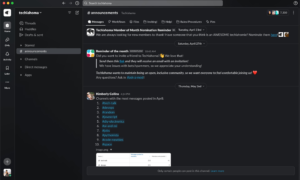
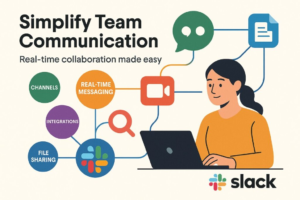
Slack’s App Directory is one of its strongest advantages. The official pricing page highlights more than 2,600 available apps, including Salesforce, Jira, Google Drive, ChatGPT, Zoom, GitHub, Dropbox, DocuSign, Zendesk, and Asana. The exact app permissions and installation rules are controlled by workspace administrators.
Integrations can make Slack feel like a central operations layer, but they also create governance work. A small company should decide who can install apps, what data can be posted into channels, and whether messages containing customer or employee information should be retained. Too many notifications can turn a well-designed workspace into another source of noise.
Security and Administration
Slack provides admin controls, data retention options, app management, and identity features that become stronger as you move up the plans. Business+ adds more advanced security and identity capabilities than Pro, while Enterprise+ is intended for organizations with complex compliance and multiple workspaces.
Free is not automatically insecure, but it offers fewer governance controls and shorter history. Paid plans keep message and file history available by default, although administrators can configure retention. Teams handling health, financial, legal, or customer data should review Slack’s security documentation and their own regulatory obligations before using public channels or third-party apps.
Pros
Excellent search and context
Channels preserve decisions and reduce the need to ask the same question repeatedly.
Huge integration ecosystem
Slack can connect communication to CRM, development, support, storage, calendars, and automation tools.
Flexible collaboration
Public channels, private channels, huddles, clips, canvases, lists, and Slack Connect cover different work styles.
Good free entry point
A small team can start at no cost and upgrade only when history, integrations, or group meetings become essential.
Cons
Free history is limited
Teams that use Slack as a long-term knowledge base may find the 90-day visibility limit too restrictive.
Notification overload
Without channel norms and notification settings, Slack can become more distracting than email.
Per-user costs add up
As a company grows, paying for every active member can cost more than a lightweight chat tool.
Advanced features are layered
AI, governance, automation, and enterprise controls may require a higher plan or separate add-on.
Free Trial, Cancellation, and Refund Considerations
Slack’s paid-plan trial automatically ends on the stated trial date if the workspace is not upgraded, returning the workspace to Free. For a paid subscription, owners can change or cancel the plan from the billing settings, but the practical effect depends on the billing arrangement and purchase channel. Downgrading reapplies Free limits, which may hide older history and restrict apps.
Slack promotions can be attractive, but discount periods do not necessarily lock in the renewal price. Refund eligibility can depend on the agreement, invoice, payment method, and timing. Review the order screen and Slack’s current terms before assuming that cancellation will produce a prorated refund.
Our Recommendation
Choose Slack Free for a small group that mainly needs quick conversations and does not rely on historical search. Choose Pro when Slack is becoming the team’s daily operating layer and 90-day history, group huddles, external collaboration, or unlimited integrations matter. Business+ is the better fit for a growing U.S. company that needs stronger identity controls, AI-assisted work, and more formal administration. Enterprise+ should be evaluated with a sales specialist and security team.
Before buying, count active users, list the apps you need, test a real workflow, and calculate annual cost after promotional pricing expires. Slack is not automatically the cheapest collaboration platform, but its combination of search, integrations, and channel-based work can deliver strong value when a team adopts clear communication habits.
Official Purchase Links
Slack Pricing
Free Plan Limits
Paid Trial
Cancellation Help
Last reviewed for publication: October 2026. Slack prices, AI availability, plan limits, and promotional terms can change. Confirm the official U.S. pricing page before updating this article.