
Quick Verdict
- Best for: users who already have a firewall/antivirus and want the strongest extra layer of malware and web protection.
- Not ideal for: users who want one all-in-one suite with password manager, parental controls and PC utilities.
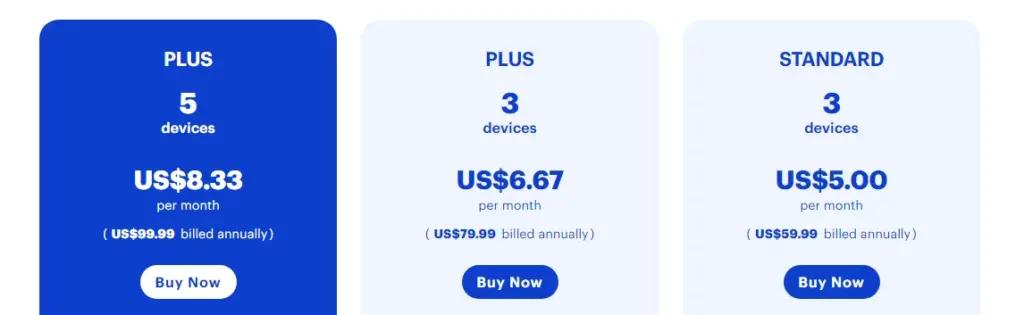
- Pricing: Standard from ~$59.99/yr · Premium ~$79.99/yr · Premium+Privacy ~$99.99/yr · 14-day trial / 60-day guarantee.
Introduction
Malwarebytes built its reputation as the go-to tool for removing stubborn malware that traditional antivirus programs miss. That legacy still shows today: its Premium plan adds always-on, real-time protection on top of the famously effective on-demand scanner, making it a strong companion — or even replacement — for many US users.
Unlike bloated all-in-one suites, Malwarebytes keeps things focused and lightweight. You get four layers of real-time defense — malware, ransomware, exploits and malicious websites — plus a free Browser Guard extension that blocks ads, scams and trackers as you browse. For people who want powerful protection without a heavy, feature-stuffed program, it is an easy recommendation.
In this 2026 review, we test Malwarebytes Premium hands-on: how well it detects and removes malware, how it handles ransomware and web threats, whether the VPN add-on is worth it, and how it compares to full security suites.
Who Should Use Malwarebytes Premium?
- Users who run Windows Defender and want a stronger second layer of protection.
- People who download files or open attachments and want reliable malware removal.
- Gamers and power users who want protection without a performance hit.
- Small teams that want lightweight, no-nonsense endpoint protection.
- Anyone who wants clean browsing with the free Browser Guard extension.
If you want one program that also bundles a password manager, parental controls, identity monitoring and system cleanup, look at Bitdefender, Norton or McAfee. If you want a focused, excellent malware-killer that stays out of your way, Malwarebytes Premium is a top pick.
Core Features Breakdown
Award-Winning Malware Detection & Removal
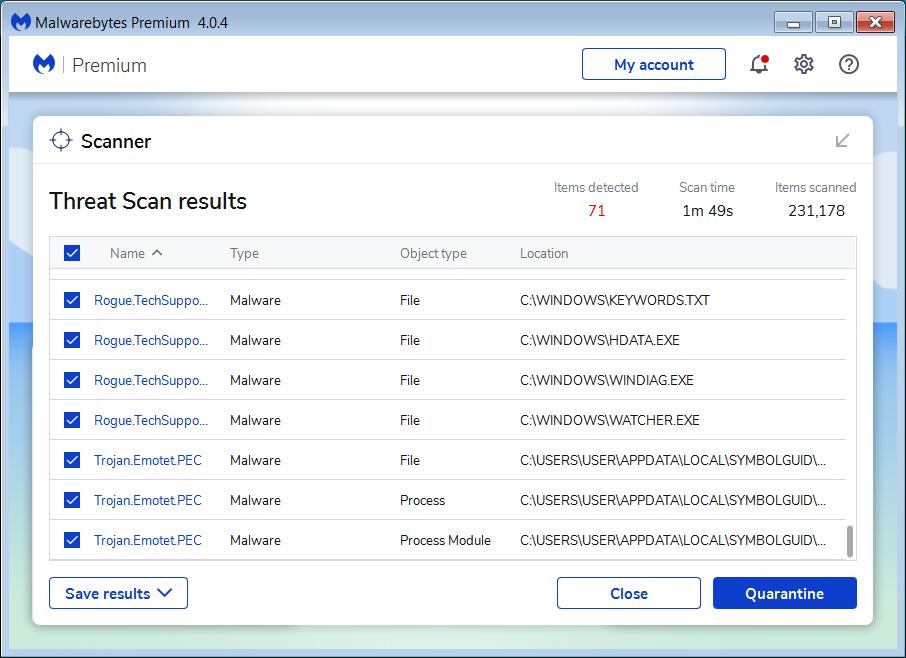
Malwarebytes’ scanning engine is famous for finding threats other antivirus tools miss — PUPs, adware, browser hijackers and zero-day malware. Independent tests regularly show detection rates above the industry average, with a very low false-positive rate. Quick, full and custom scans are simple to run and easy to understand.
Real-Time Protection: Four Layers, Always On
Upgrading from Free to Premium turns on real-time protection. It continuously guards your device against malware and potentially unwanted programs, ransomware, exploit attacks and malicious websites — without the pop-ups or slowdowns many suites cause. You can turn individual layers on or off to match your needs.
Web Protection Blocks Dangerous Sites
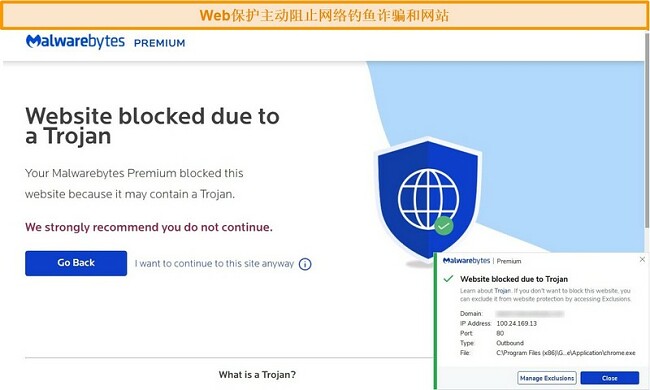
Web Protection stops you from reaching phishing sites, scam pages and pages that host ransomware before they load. If you click a malicious link, Malwarebytes shows a clear blocking warning instead of letting your browser connect — a valuable safeguard against the phishing attacks so common in the US.
Ransomware & Exploit Defense
Ransomware Protection keeps an eye on your files and blocks encryption attacks before they hold them hostage. Exploit Protection defends against attacks that target vulnerabilities in browsers and other software, closing the door on techniques like buffer overflows.
Browser Guard: Free Clean Browsing
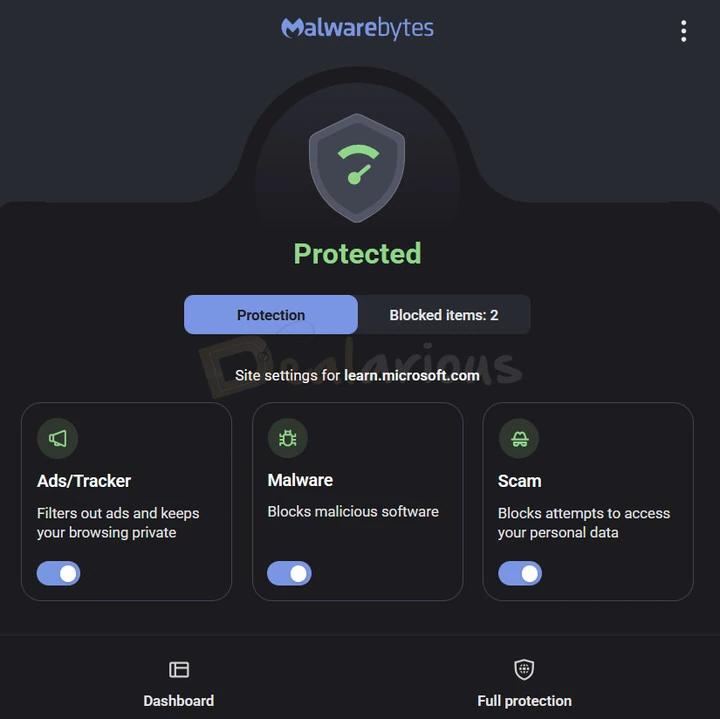
The free Malwarebytes Browser Guard extension blocks ads, trackers, scams and crypto-miners while you browse in Chrome, Firefox or Edge. It flags suspicious sites, protects your credit card number at checkout, and speeds up page loads by cutting out unwanted content. It is a genuinely useful free add-on even if you only use the free scanner.
Optional Privacy VPN
The Premium+Privacy plan bundles Malwarebytes’ no-logs VPN, which encrypts your connection on public Wi-Fi. It is simple and effective, though the server network is smaller than dedicated VPN services like Surfshark or NordVPN.
Pricing (US Annual Plans)
| Plan | Price / yr | Best highlights |
|---|---|---|
| Free | $0 | On-demand scan & removal, no real-time protection |
| Standard | ~$59.99 | 3 devices, real-time protection, web protection |
| Premium | ~$79.99 | 5 devices, ransomware & exploit defense |
| Premium+Privacy | ~$99.99 | 5 devices + no-logs VPN |
Prices are approximate and vary by billing cycle and promotions. Malwarebytes offers a 14-day free trial and a 60-day money-back guarantee on paid plans.
Pros & Cons
What we like
- Excellent malware detection & removal
- Lightweight, low system impact
- Real-time ransomware & exploit protection
- Web Protection blocks phishing & scam sites
- Free Browser Guard extension
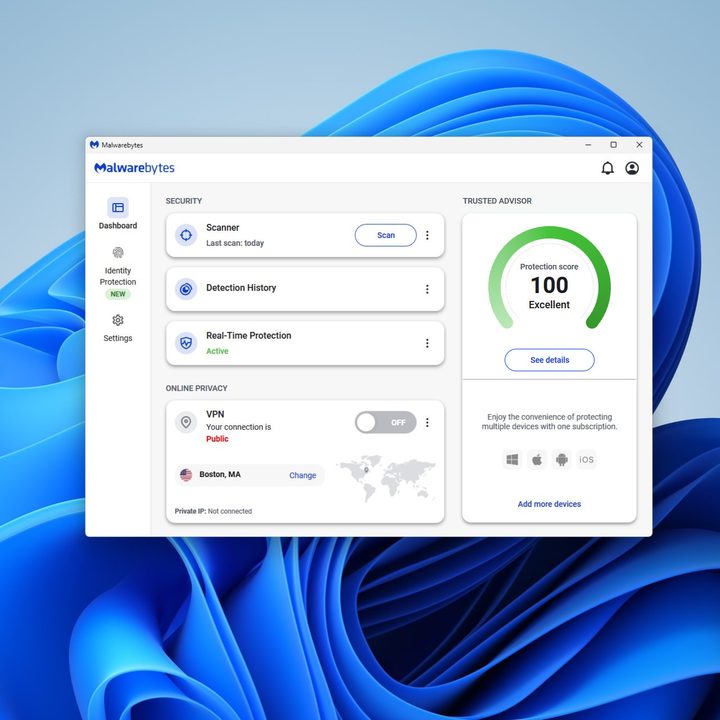
- Simple, clean interface with Trusted Advisor
What could be better
- No password manager or parental controls
- No firewall included
- Identity monitoring not built in
- VPN add-on has a smaller server network
- Higher tiers cost more than some all-in-one rivals
Malwarebytes vs Windows Defender in 2026
Windows Defender is free and built into Windows, offering solid baseline protection. Malwarebytes Premium adds stronger on-demand removal, dedicated ransomware and exploit layers, and web protection that catches threats Defender may miss. Many US users run both — Defender as the base, Malwarebytes as the specialist cleaner and second layer. For the strongest protection at a low cost, that combination works well.
Frequently Asked Questions
Is Malwarebytes Premium worth it?
If you want reliable real-time protection and excellent malware removal at a low price, yes. It is especially worth it if you already use Windows Defender and want a strong second layer.
What is the difference between Free and Premium?
The free version scans and removes malware on demand. Premium adds always-on real-time protection for malware, ransomware, exploits and malicious websites.
Can I use Malwarebytes with another antivirus?
Yes. Malwarebytes is designed to run alongside Windows Defender and most other antivirus programs without conflicts, making it a popular second layer.
Is there a free trial?
Yes, Malwarebytes offers a 14-day free trial of Premium, and paid plans come with a 60-day money-back guarantee.
Bottom Line
Malwarebytes Premium is the best on-demand malware killer and a strong real-time protector for US users who want focused, lightweight security. It pairs beautifully with Windows Defender and adds dedicated ransomware, exploit and web protection that most free tools lack.
It is not an all-in-one suite, so users who want a password manager, firewall and parental controls should look at Bitdefender or McAfee. But for pure malware defense at a fair price, Malwarebytes Premium is hard to beat.
Try Malwarebytes Premium
Start with a 14-day free trial and test its real-time protection on your devices.